The Usage Report
See which coupons bring orders, and how the customers got them.
Open Reports > Marketing > Improved Coupon, choose the dates and click Show report.
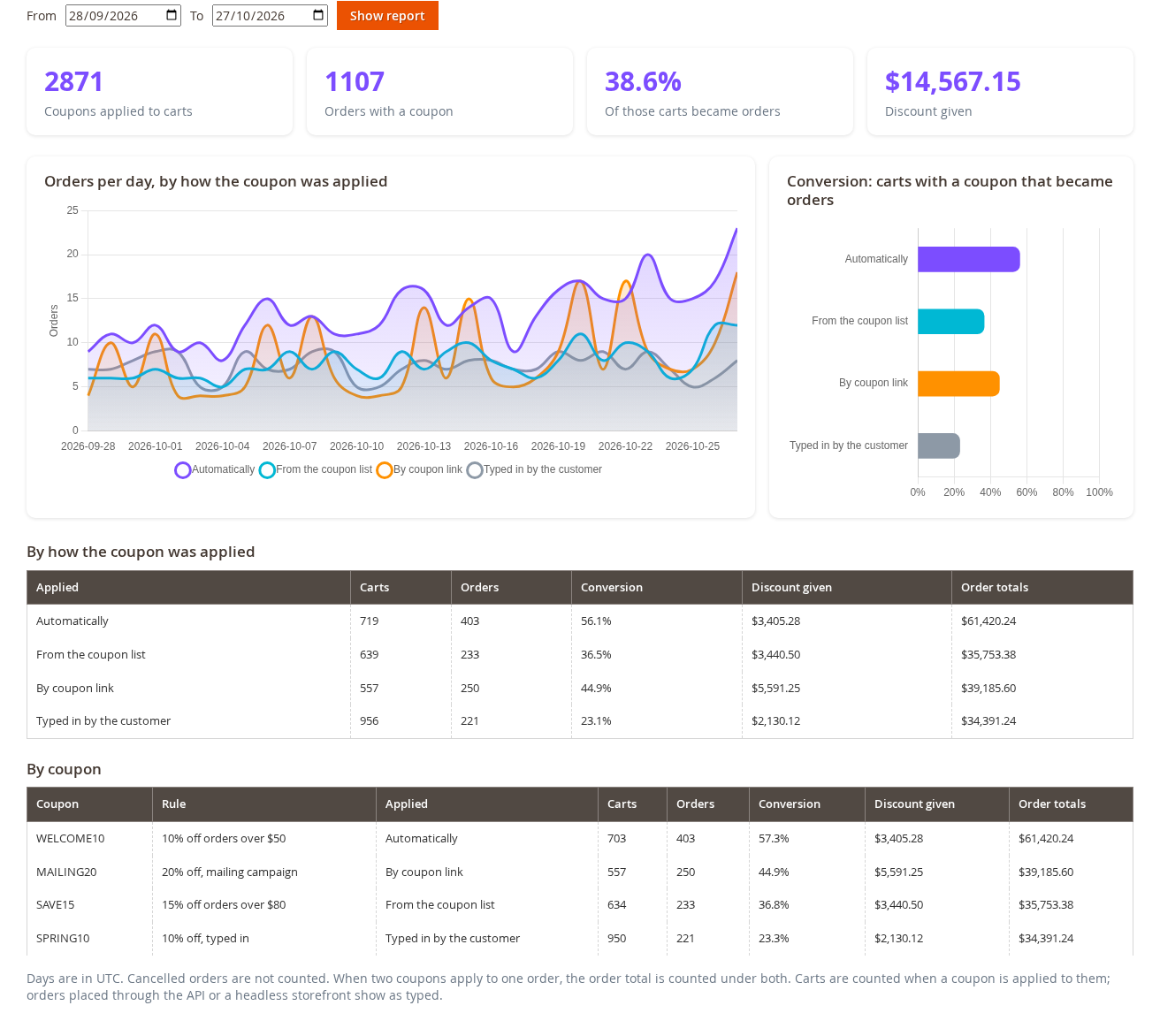
What it shows
- The boxes: the carts where a coupon was applied, the orders that used a coupon, the share of those carts that became orders, and the discount given.
- The line chart: orders per day, one line for each way the coupon was applied: automatically, from the list, by link, typed in by the customer, or added by an admin (only shown when there are some).
- The bar chart: the conversion of each way.
- The tables: the same, by way of applying and by coupon.
Notes
- Days are in UTC.
- Cancelled orders are not counted. Orders placed before the extension was installed do not appear.
- When two coupons apply to one order, the order total is counted under both.
- Orders placed through the API or a headless storefront are counted as "typed in".