Auto-apply the Coupon
Give a discount without asking the customer to find and type a code: the coupon is applied to every cart that qualifies for its rule.
Setting it up
- Create or edit a cart price rule with a specific coupon code, and set its conditions and actions as usual.
- Switch on Auto-apply the coupon.
- Save the rule.
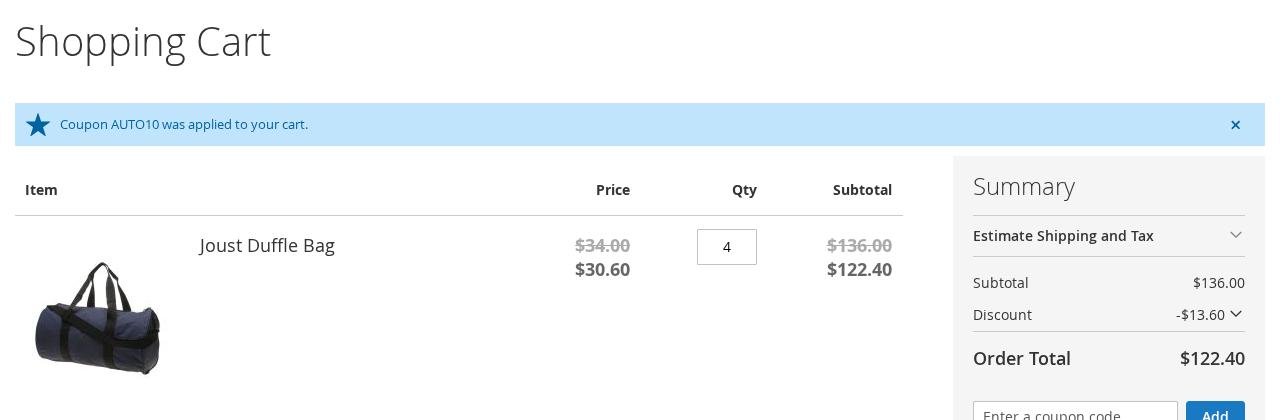
Every cart that matches the rule now gets the coupon applied. The customer sees "Coupon X was applied to your cart." in the cart page and in the mini-cart.
How it behaves
- The customer's own coupon field is untouched. A coupon the customer types in works together with the automatic one, when the rules allow it (see Several coupons).
- Magento's usual rules decide the order: the rule priority, and Discard subsequent rules. If a rule with a lower priority number discards subsequent rules, the automatic coupon is not applied after it.
- Customer groups, dates and usage limits ("Uses per coupon", "Uses per customer") are respected. An automatic coupon is counted as used when the order is placed.
- For a coupon only some customers should get, use the rule's customer groups, or the customer conditions of ApBase.