The Hyvä Theme
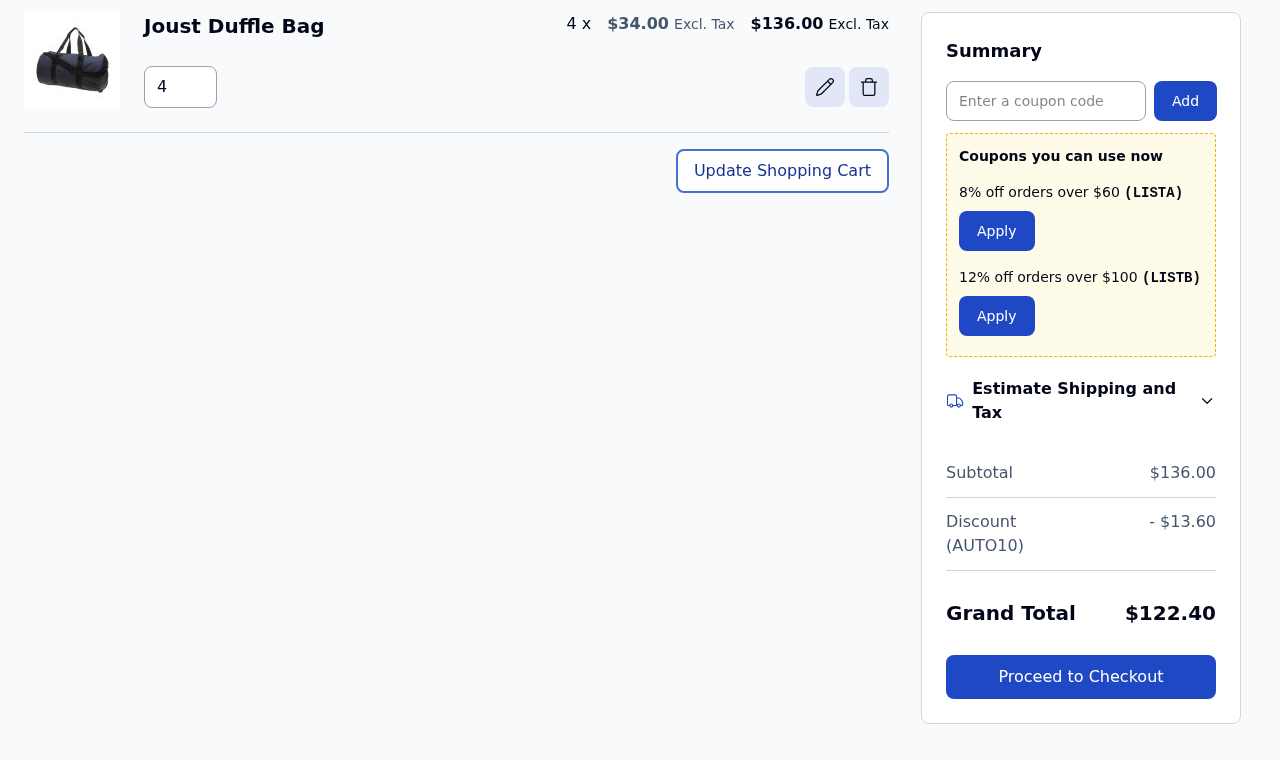
Improved Coupon works with the Hyvä theme (tested with Hyvä 1.3, 1.4 and 1.5), in the cart page, the cart drawer and the checkout.
- Install Hyvä's compatibility module for ApBase:
composer require hyva-themes/magento2-mexbs-ap-base:^1.1. It shows the "coupon applied" messages and the "almost there" hints. - Improved Coupon's own Hyvä module,
Mexbs_BetterCouponHyva, is part of the package. It shows the coupon list and the applied coupons in the cart page and in the cart drawer. - Run:
bin/magento module:enable Mexbs_ApBase Mexbs_BetterCoupon Mexbs_BetterCouponHyva Hyva_MexbsApBase
bin/magento setup:upgrade
bin/magento hyva:config:generate
bin/magento cache:flush
- Rebuild your theme's Tailwind CSS:
npm ci && npm run build-prodin the theme'sweb/tailwindfolder. The Tailwind build is what makes the coupon list look right.
The Hyvä Checkout product is not supported. The default Hyvä checkout (Magento's Luma checkout) is.